
Warehouse management
Warehouse execution, built into the ERP
Cairn WMS is warehouse management built into your ERP — bin-directed picking, receiving and putaway, cycle counts, and packing, run from a scan-first mobile floor app that works on any phone or rugged Android scanner. There are no extra per-device licenses, and every movement posts through the same general ledger and costing engine as the rest of Cairn.
See it in Cairn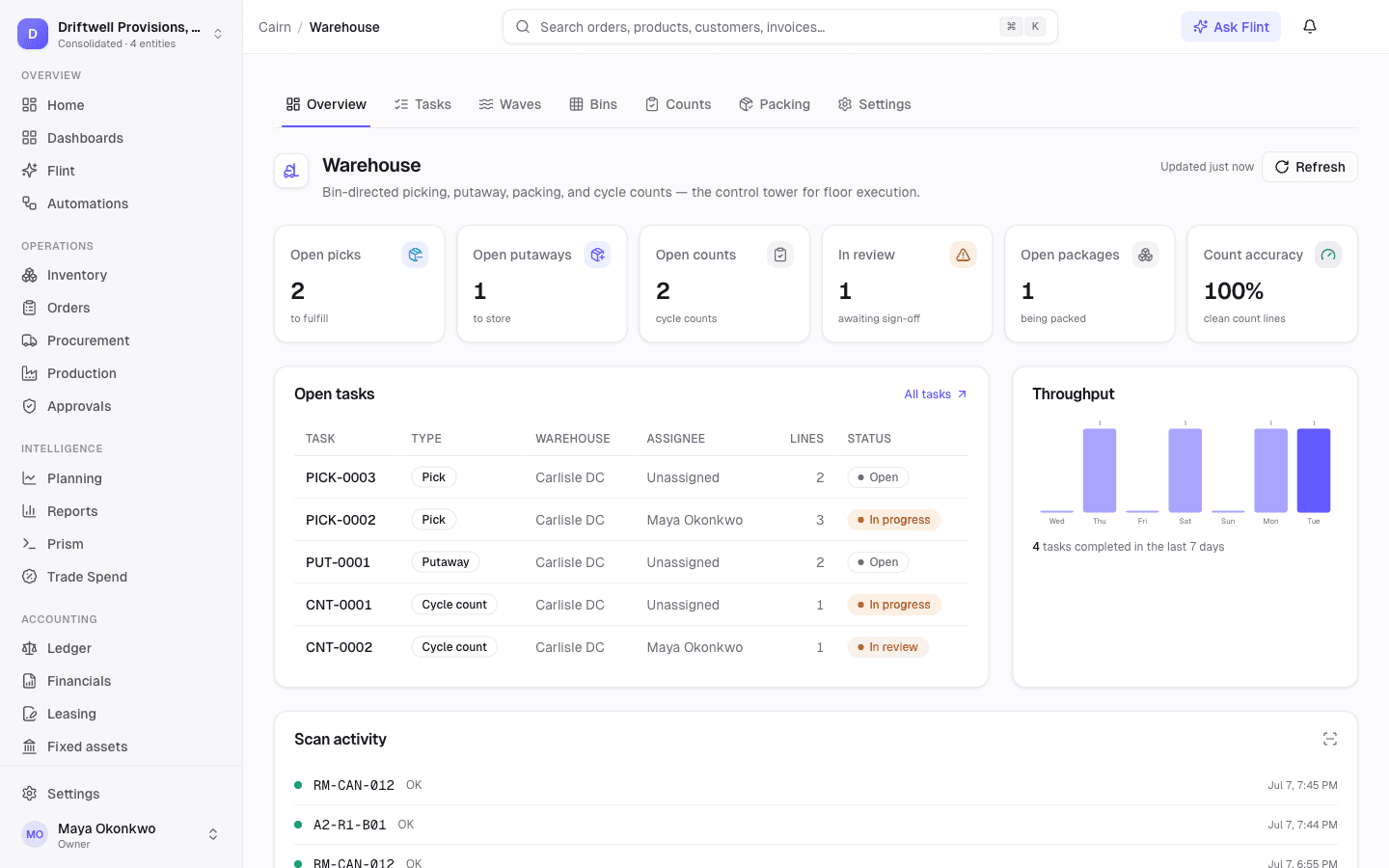
The floor app
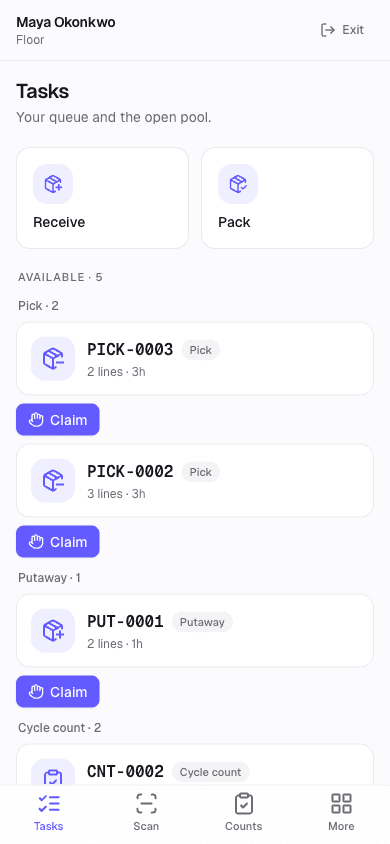
Scan-first, on the device you already own
Operators see their queue and the open pool — claim a pick, a putaway, or a count and start scanning. The floor is a full-screen layout with big touch targets, bottom tabs, and beep-and-vibrate feedback. Barcode scanning works three ways, all wired with no license fees:
- Bluetooth and USB scan guns — Zebra, Honeywell, or whatever your floor already uses — work instantly.
- The phone camera — Android or iPhone, with no scanning software to buy or license.
- Manual entry — every scan field also accepts typing.
Every common retail and logistics barcode is supported — UPC, EAN, QR, and the case and pallet codes your suppliers already print.
Receiving & putaway
From the dock to the right bin
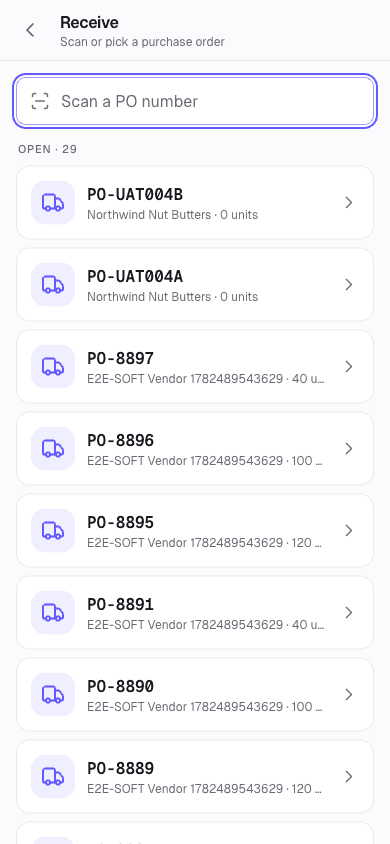
Scan or pick an open purchase order, confirm quantities per line, and capture lot and expiry for tracked items. Posting runs the normal PO receipt — general ledger, cost layers, lot capture, unchanged — and auto-creates a putaway task with a suggested bin per item: top-off first, then empty bins, then least full.
On the putaway, the suggested bin is shown big. Scan it to confirm, or scan a different valid bin to override the destination. Partial quantities are supported, and completing the task moves the stock into bins.
Waves & picking
Release a wave, walk the bin path
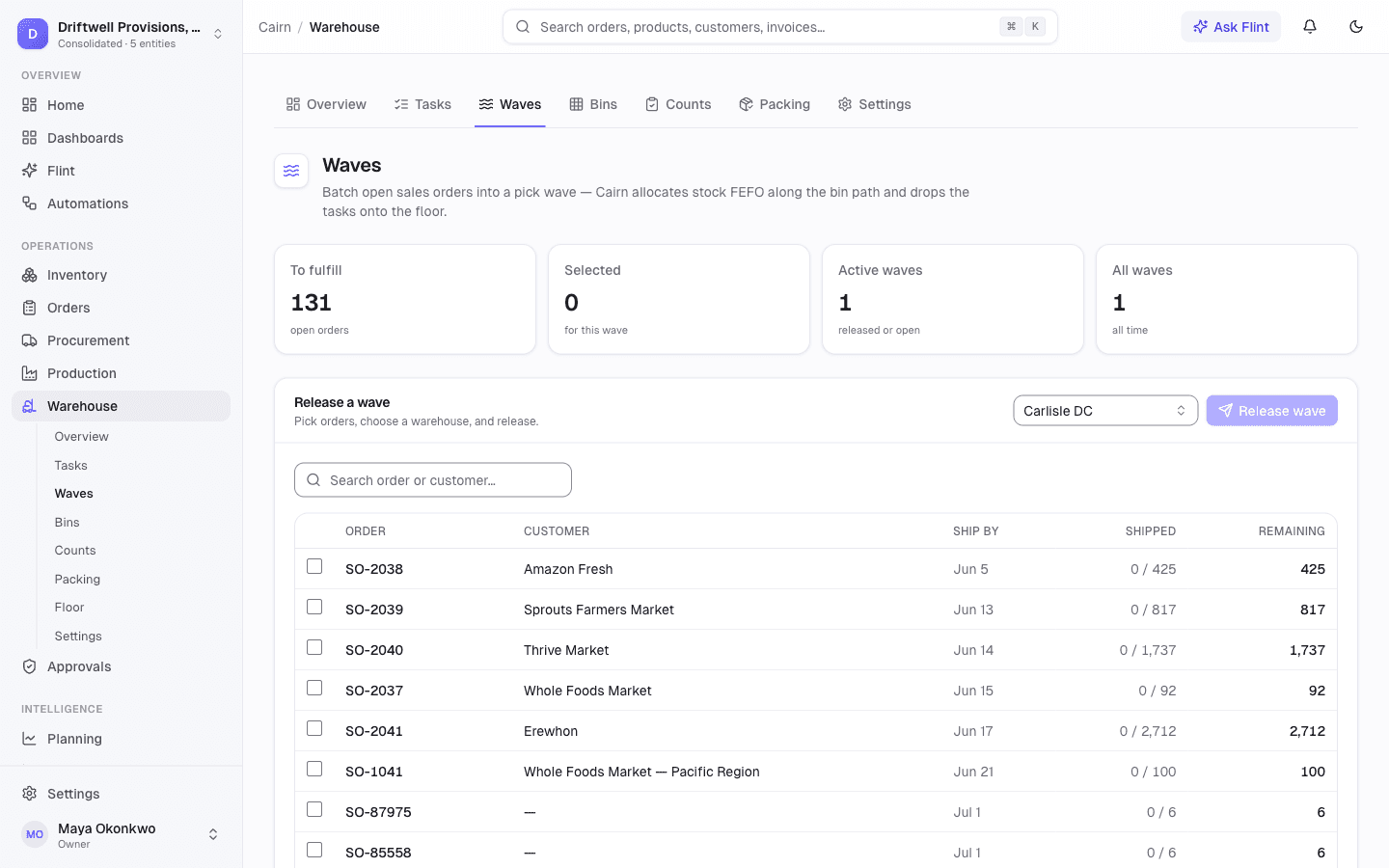
A manager batches open orders into a wave. Cairn allocates stock first-expiry-first-out, sequences every line along the bin path, and drops one scan-guided pick task per order on the floor — no stock moves until the picker confirms it.
The picker's three steps — bin, item, quantity
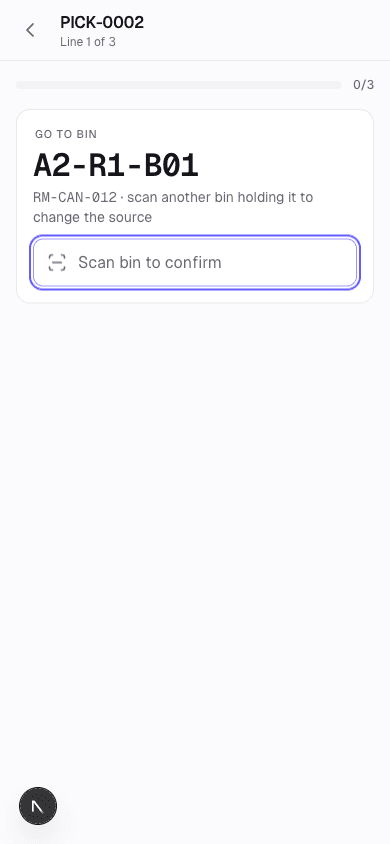
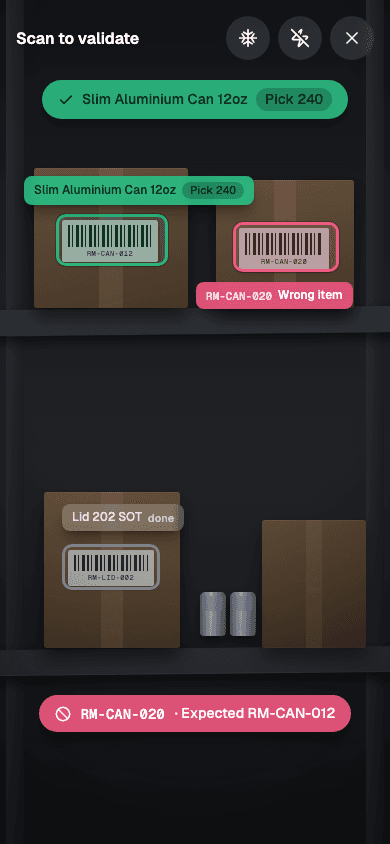
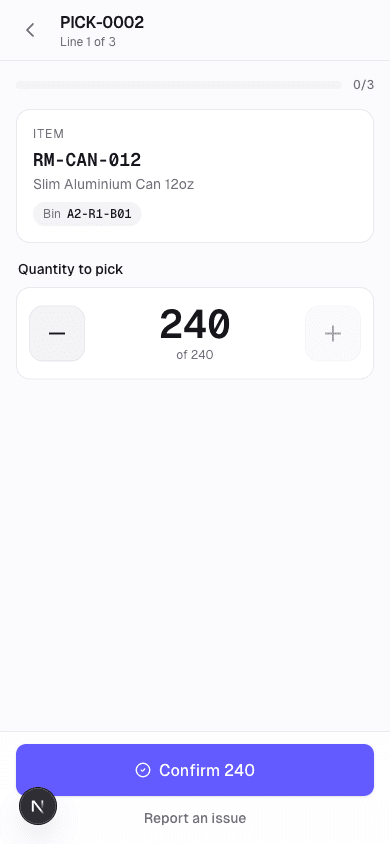
Lots and serials are captured at the point of pick. With orders permission, complete-and-fulfill ships immediately using the exact lots and serials that were physically picked — GL, COGS, and allocation through the standard fulfillment engine.
Cycle counting
Counts that run themselves — and never block the floor
Count plans generate directed, blind, and spot counts on a cadence, with a tolerance percentage and a set number of tasks per run. Expected quantities are snapshotted per bin when each task is created, so the count measures the floor — not a moving target.
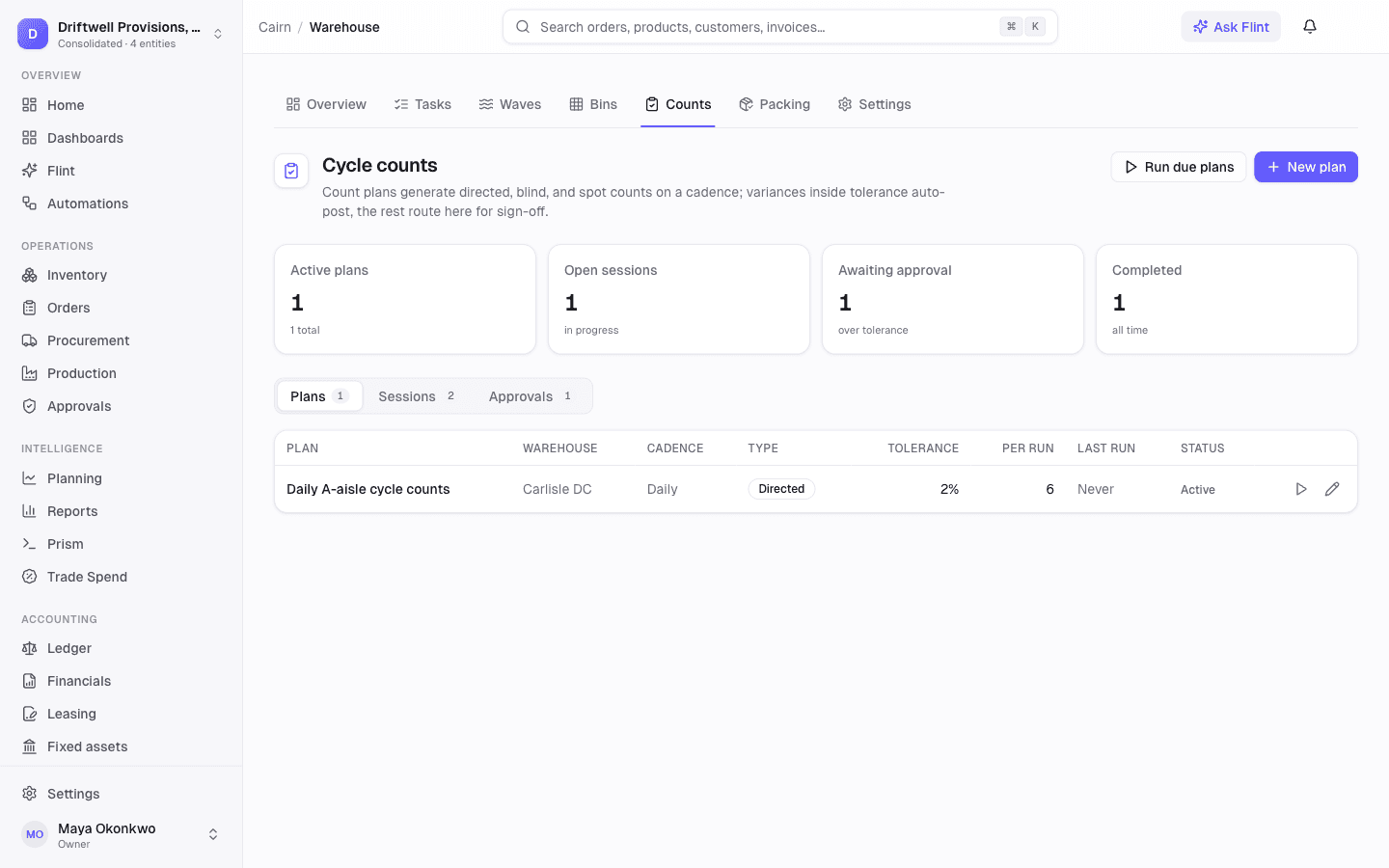
Count on the floor, review the variance
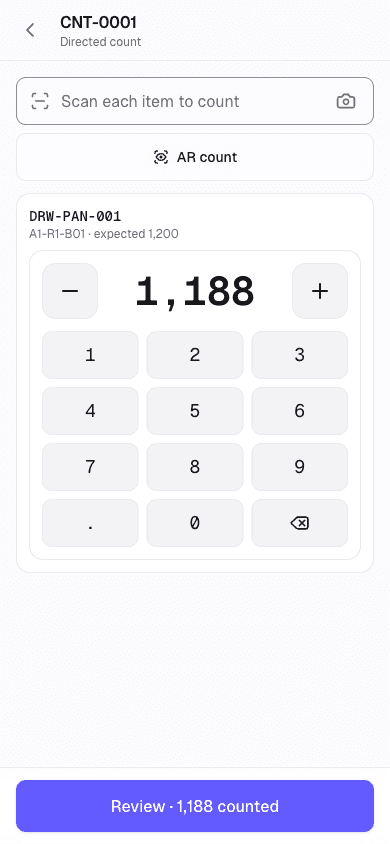
The counter scans each unit or keys a quantity on the big numeric pad — a directed count shows what is expected, a blind count hides it for an honest number, and a spot count is a quick check. Unknown barcodes are collected as extras instead of stopping the count.
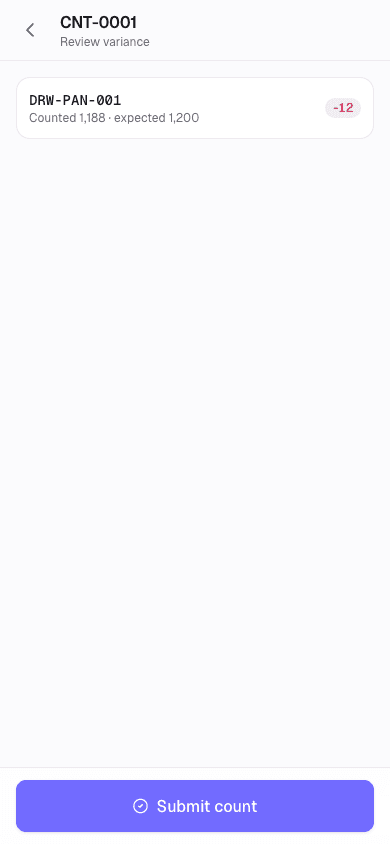
Before submitting, the counter sees the variance per line — counted against expected, with the difference in a red or green chip — so a fat-fingered digit gets caught at the shelf, not at month-end.
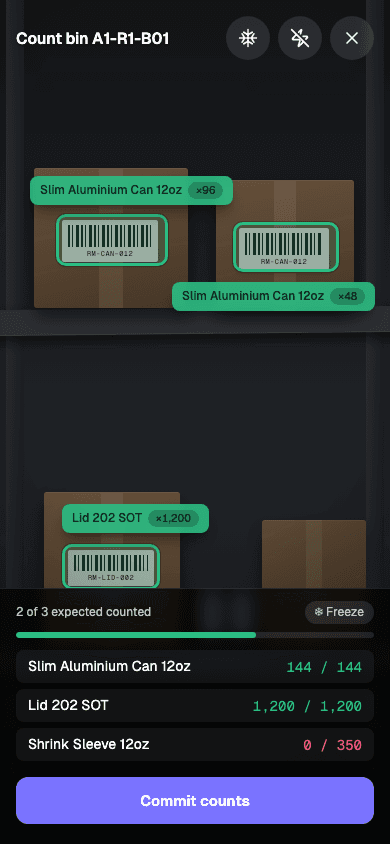
Or skip the keypad entirely: in the augmented-reality count view, every item in the bin carries a live tally as the counter sweeps the camera — point, sweep, done.
Tolerance decides; managers handle the exceptions
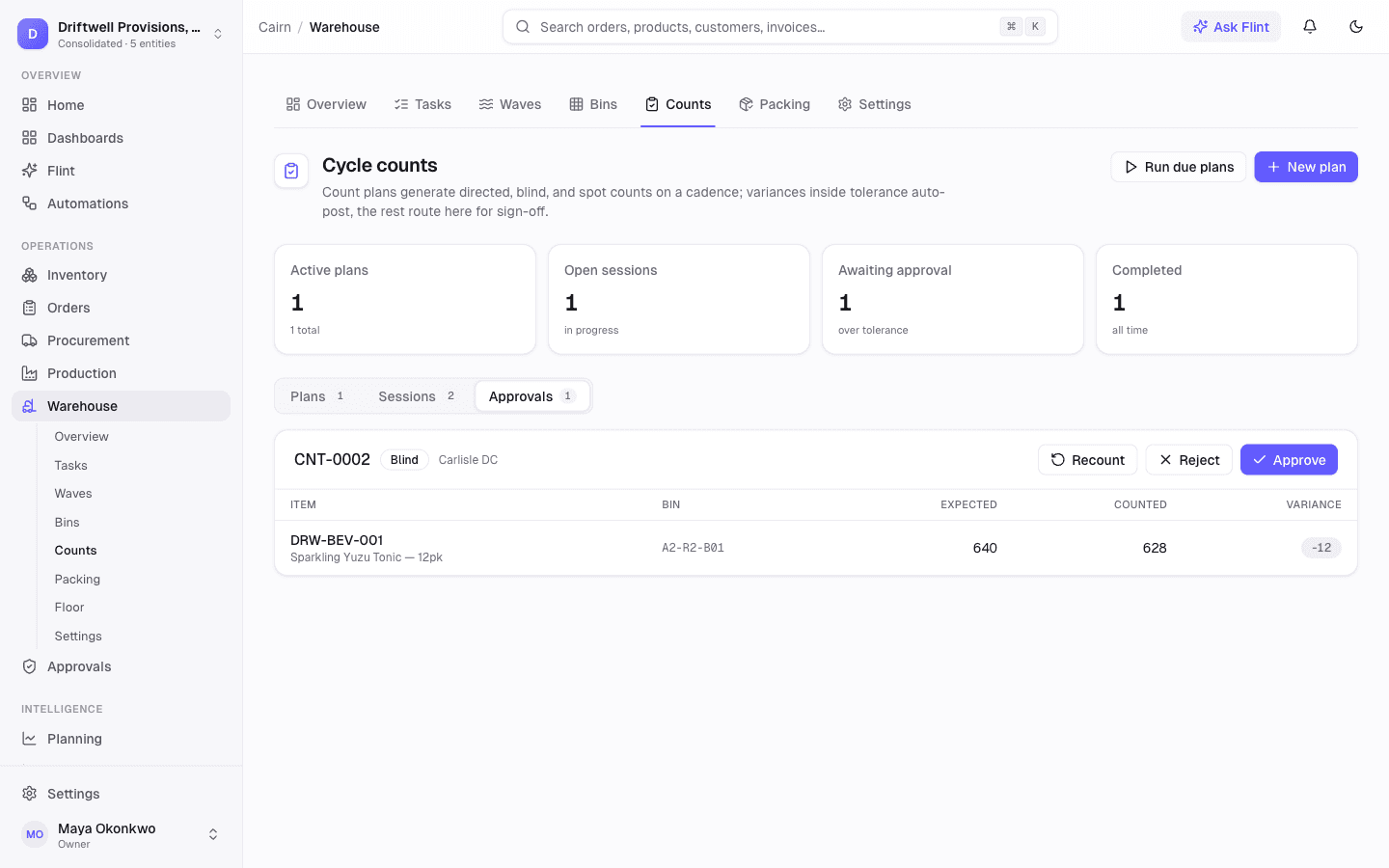
Within tolerance, the count auto-approves and posts an inventory adjustment through Cairn's normal approval flow — nobody touches it. Out of tolerance, it routes to the approvals queue where a manager can approve, order a recount, or reject. A recount clones a fresh task, ideally for a different counter. The counter is done either way — exceptions never block the floor.
Report production from the same system
The warehouse and the production line share one engine. Cairn's Production module releases builds, issues components, and records finished goods — so the same lots the floor received and put away flow straight into what you make.
Release and track builds
Schedule builds against real demand and component availability, release them to the line, and watch status move as work happens.
Issue components, record builds
Issue components to a build and record finished goods with lot and expiry capture — or backflush components automatically from what was produced.
WIP and variance on the ledger
Component issues move value into work in process; recording finished goods relieves it. Variances post through the same general ledger as everything else — no side system to reconcile.
Floor kitting, rolling out
Scan-driven build kitting on the floor app is rolling out, so operators will issue components and finish goods from the same device they pick with.
Point the camera at a shelf — the right item lights up green
Cairn's scanner has a live augmented-reality view: every case in front of the worker is tracked on screen, the item they need glows green, and a wrong one flashes red before it can leave the shelf. Fewer mispicks, counts that take seconds instead of minutes — on the phones and scan guns you already own, with nothing extra to license.
Counting, at a sweep
Point the camera at a bin and every item carries a live tally. A whole shelf is counted in seconds, then goes through the same variance review as any count.
Picking, without mispicks
The item to pick glows green with its quantity; anything else flashes red and is rejected. The wrong stock cannot ride along quietly.
Finding, on a crowded shelf
Sweep the camera and every barcode in view is identified on screen — no more reading labels case by case.
Zero added cost
No scanning software to buy, no per-device licenses, no subscription that grows with your headcount. The camera your team already carries does the work.
The augmented-reality view runs on Android devices today, including rugged scanner guns; iPhone runs the same flows through a standard camera viewfinder.
Bin master
Live bin-level stock and reconciliation
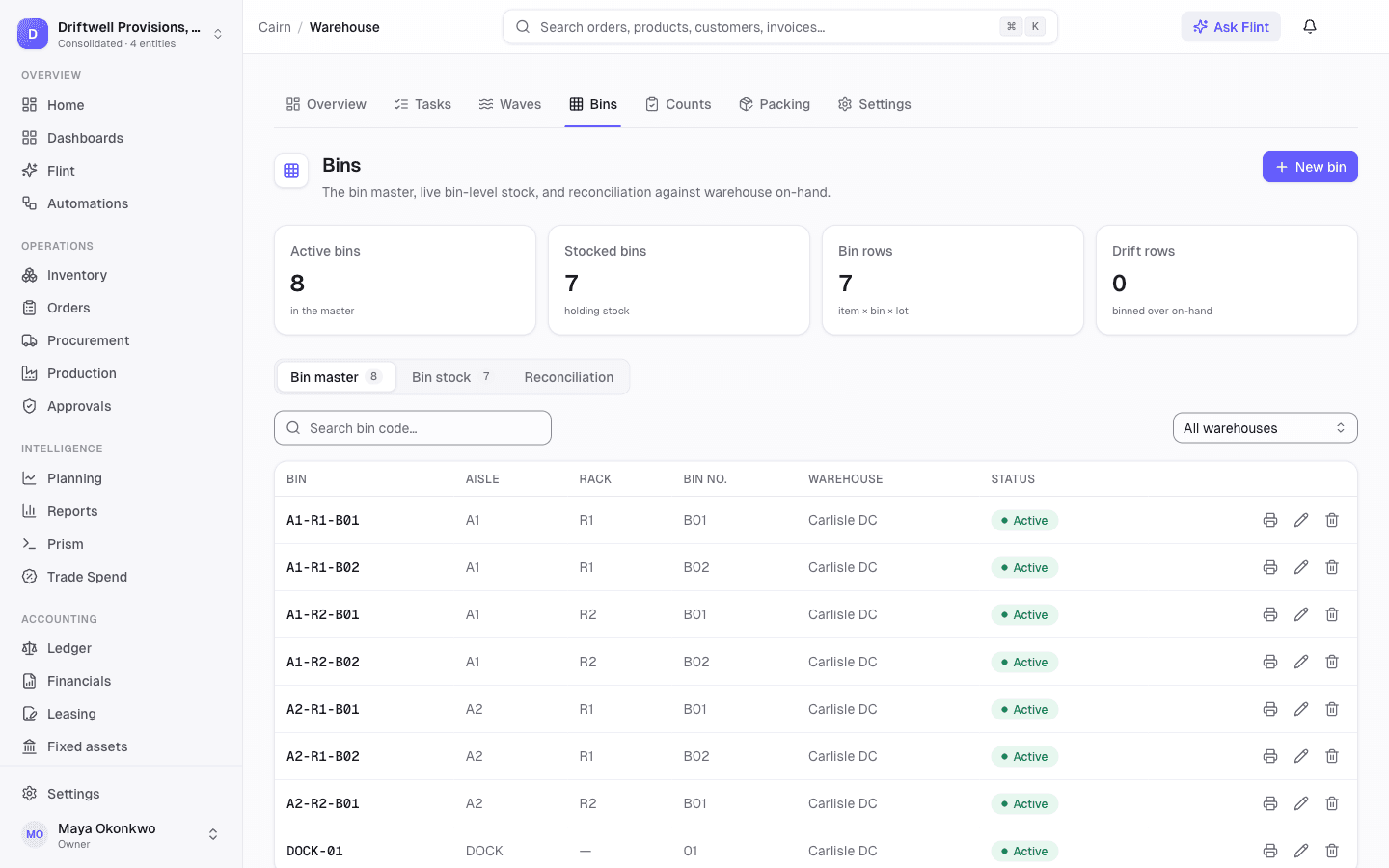
Build your bin master with aisle, rack, and bin for walk-order sorting and print 4×6 Code128 bin labels from the row. The control tower shows live item-by-bin-by-lot stock, and a reconciliation view flags any bin drifting from warehouse on-hand.
Every move posts to the same ledger
A standalone WMS leaves you reconciling two systems at month-end. Cairn does not. Receipts, fulfillments, count adjustments, and production all run through the exact same posting, costing, and allocation engine as the rest of the ERP, so the inventory subledger ties to the general ledger — always.
Bin-grain moves — putaway, bin moves, pick-to-staging — are physical-only and never touch the ledger, because on-hand did not change. A reconciliation guardrail keeps the ledger and the cost layers tied out.
The invariant
Receive a PO
Posts the receipt, cost layers, and lot capture — unchanged
Pick and fulfill
Ships the exact lots and serials picked, through the standard engine
Count adjustment
Runs Cairn's normal inventory-adjustment approval and GL posting
Record a build
Relieves WIP and posts finished goods with any variance on the ledger
Bin move
Physical-only relocation — never touches the ledger
Warehouse management, without the second system
Runs on any phone or scanner
The floor is a full-screen web surface behind your normal Cairn login — open it on a phone, a tablet, or a rugged Android gun. No app-store install, no API keys, and no per-device scanner licenses.
Waves, FEFO, lots and serials
Wave picking allocates expiry-first and captures lots and serials at the point of pick, so traceability and freshness are enforced by the same engine your inventory already uses.
Packing with 4×6 labels
Open a carton, scan items in, close with weight, carrier, and tracking, then print the 4×6 package label and packing slip. Packages stay visible in the control tower.
Tasks and scan telemetry
Every unit of floor work is a numbered task with lines, an assignee, priority, and a live scan-event timeline. Managers filter, assign, and review throughput from the control tower.
Role-based, tenant-isolated
Floor workers authenticate with their normal role. The warehouse module has its own permission matrix — a picker can pick without the rights to ship — and every read is scoped to your organization.
A REST API and MCP tools
Tasks, bins, packages, and count plans are exposed as REST resources and MCP tools, so a 3PL handoff or a custom automation reads the same live data the floor works from.
Questions, answered
Is Cairn a WMS for CPG brands?+
Yes. Cairn is an AI-native ERP for consumer brands with warehouse management built in — bin-directed picking, receiving and putaway, cycle counting, and packing. Because it is part of the ERP rather than a bolt-on, every warehouse movement posts through the same general ledger and costing engine, so the inventory subledger always ties to the books.
Do I need special barcode-scanner hardware?+
No. The floor app runs in the browser on any phone, tablet, or rugged Android scanner. Bluetooth and USB scan guns work out of the box, the phone camera scans barcodes with no scanning software to buy, and every scan field also accepts manual entry. There are no per-device licenses.
How does the AR scanning work, and does it need an iPhone?+
The camera scanner has a live augmented-reality mode: every barcode in view is tracked on screen, green for the item you expect, red for a wrong one, with live count badges during cycle counts. It uses the device's own built-in barcode detection, so there is nothing extra to buy or license. The AR view runs on Android devices, including rugged scanner guns; on iPhone the scanner uses a standard camera viewfinder with the same flows.
What kinds of cycle counts does Cairn support?+
Three: directed counts that show the counter what is expected, blind counts that hide expected quantities for an honest count, and quick spot checks. Count plans run them on a cadence — daily, weekly, monthly, or ad hoc — with a tolerance percentage and a set number of tasks per run, and expected quantities are snapshotted when each task is generated.
What happens when a count is off?+
Counts inside the plan's tolerance auto-approve and post an inventory adjustment through Cairn's normal approval flow. Counts outside tolerance route to an approvals queue where a manager can approve, order a recount, or reject — a recount clones a fresh task, ideally for a different counter. Exceptions never block the floor from finishing.
Can I report production from Cairn too?+
Yes. Cairn's Production module releases builds, issues components, and records finished goods with lot and expiry capture — with backflush, WIP, and variance posting through the same general ledger as the warehouse. Scan-driven build kitting on the floor app is rolling out, so operators will report production from the same device they pick with.
Replace your legacy ERP.
In weeks.
Twelve months and six figures used to be the price of admission. Not anymore.
Get a demoWhite-glove implementation No per-transaction fees No surprise invoices